
Graphtec Pinch Rollers — Replacement Rollers for CE Lite-50, CE6000, CE7000, FC7000/8000/8600 & FC9000
Genuine Graphtec OEM pinch rollers — the rubber rollers that grip and feed your media through the cutter. When a pinch roller develops a flat spot, hardens with age, or gets caked with adhesive residue, your cutter starts slipping mid-job, drifting on long contours, and producing wavy or mis-registered cuts. Replacement rollers for every active Graphtec plotter family: CE Lite-50, CE6000, CE7000, FC7000/FC8000/FC8600, and FC9000. Same-day shipping from our Doral, Florida warehouse on orders placed before 2 PM EST.
Complete your cutter maintenance with matched Graphtec cutter blades and cutting strips, or browse all Graphtec spare parts.
Frequently Asked Questions
How do I know my pinch rollers need replacement?
Pinch rollers wear gradually, so the symptoms creep in before they become obvious. Six diagnostic signs to watch for: (1) Media slipping mid-job — the cutter starts cutting, the design drifts, and the final output is mis-registered. This is the #1 sign of a worn pinch roller. (2) Wavy or curved lines on what should be straight cuts — the roller has a flat spot or has hardened unevenly, gripping intermittently. (3) Visible flat spots, cracking, or "frosting" on the roller rubber when you inspect it under good light. Healthy rollers look smooth and slightly glossy; worn ones look dull, dry, or cracked. (4) Adhesive buildup that cleaning won't remove — HTV and high-tack vinyl leave residue that eventually bonds to the rubber permanently. (5) Test cuts that work fine on short distances but fail on long jobs — slippage accumulates over the length of the cut. (6) Cutter requiring increased pinch pressure to grip media — you can compensate briefly by tightening the pressure setting, but this accelerates wear. Typical replacement schedule: 12–24 months for production sign shops; longer for hobby use; shorter (6–12 months) for shops cutting heavy adhesive HTV or sandblast films daily.
Which pinch roller do I need — does cutter model and roller position matter?
Yes — both matter. Cutter model first: Graphtec engineers each cutter family (CE Lite-50, CE6000, CE7000, FC7000/FC8000/FC8600, FC9000) with slightly different roller dimensions, mounting hardware, and rubber compounds. A CE7000 roller will not fit an FC9000 even if they look similar. Always order by your cutter's exact model number. Roller position second: wider Graphtec cutters use multiple pinch rollers across the cut width — typically 2 outer rollers (one at each edge of the media) and 1–3 center rollers depending on the cutter width. Outer rollers usually wear faster because they always engage media on every job, regardless of width. Center rollers wear at a rate proportional to how often you cut wider materials. Stocking guidance: if you only replace one roller at a time, replace the outer rollers first. For a complete refresh, replace all rollers as a set — mismatched roller wear (one new + others worn) causes the same slippage problems you're trying to fix. Contact us with your cutter's exact model number if you're unsure which roller(s) you need.
Can I clean my pinch rollers instead of replacing them?
Cleaning extends roller life significantly — but it doesn't reverse physical wear. If the issue is adhesive residue (vinyl glue, HTV adhesive, dust embedded in the rubber), cleaning works: use isopropyl alcohol (70-90%) on a lint-free cloth, rub the roller surface with the cutter powered OFF and rollers manually rotated, and wipe until residue is gone. Avoid acetone, paint thinner, or any aggressive solvent — these degrade the rubber compound. If the issue is physical wear (flat spots, cracking, hardening, glossy slick surfaces that won't grip), cleaning won't help and replacement is the only fix. The rubber compound itself has lost its tackiness. Maintenance schedule: clean rollers weekly in a production shop, monthly in lighter use. Replace when cleaning no longer restores grip. Storage tip: when the cutter is idle for extended periods, release the pinch roller pressure lever to prevent the rollers from developing flat spots from sitting under load for weeks.
How do I install replacement pinch rollers?
Pinch roller replacement varies by cutter family but follows the same general pattern. Always reference your specific cutter's service manual. Standard procedure: (1) Power off and unplug the cutter. (2) Release the pinch roller pressure lever (usually a lever at the back or top of the cutter). (3) Locate the roller — it's mounted in a carriage that can be slid along a horizontal rail above the cutting platen. (4) Loosen the retaining screw or release clip on the roller assembly (the exact mechanism varies — CE-series uses a slip-on collar; FC-series typically has a screw). (5) Pull the worn roller off its shaft. (6) Slide the new roller on, ensuring it's seated fully and freely rotating. (7) Re-tighten the retainer. (8) Reset the pinch roller pressure and run a test cut to verify proper feed. Tools needed: a small Phillips screwdriver for some models; many roller replacements are tool-free. Pro tip: replace all rollers at the same time on production cutters — mixing one new roller with worn ones causes uneven feed pressure that defeats the replacement.
Are these genuine Graphtec OEM pinch rollers?
Yes. All pinch rollers sold by Digiprint USA are 100% genuine Graphtec OEM — sourced through authorized distribution, never aftermarket clones. Counterfeit pinch rollers are common on eBay, Amazon, and AliExpress at significantly lower prices, but they use inferior rubber compounds that wear faster, harden more aggressively, and can't match the precise diameter and hardness Graphtec engineered for each cutter family. The result: a $15 clone roller that fails in 3 months and never grips as well as the genuine $30 OEM. The math doesn't work in your favor. Every roller we ship carries Graphtec OEM specifications and ships in original packaging.
What is the warranty and return policy on pinch rollers?
Sealed, unused pinch rollers in original packaging are eligible for store credit only, not a refund to the original payment method. Once a roller has been installed in a cutter, it cannot be returned or exchanged. Manufacturing defects (visible flaws, out-of-round rollers, dimension mismatch, packaging damage on arrival) must be reported within 7 days of delivery with photo documentation. Shipping damage must be reported within 48 hours. See our full refund and return policy.
Filters
1 product
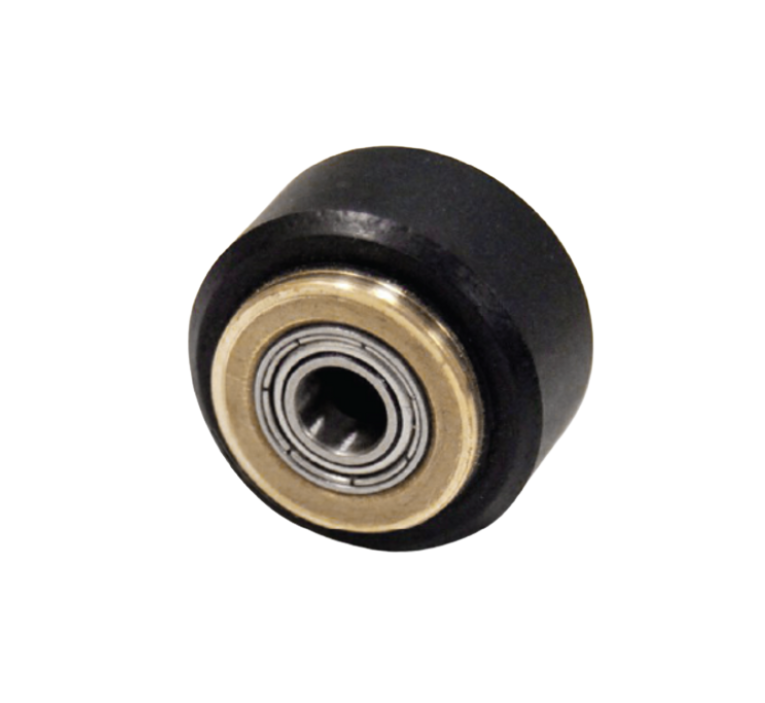
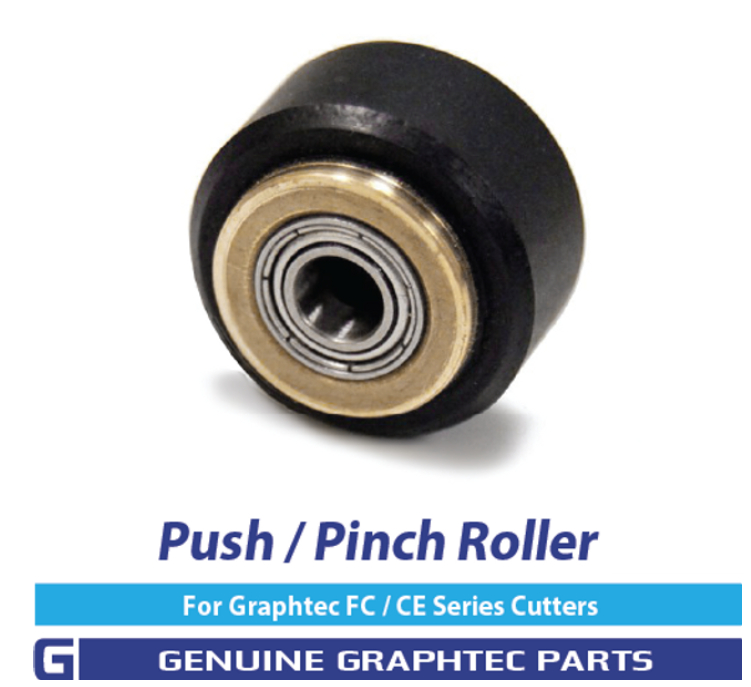
Graphtec Pinch Roller Wheel 621352000 | CE & FC Series
Sale price$28.00 USD
Regular price$48.00 USD
5.0