
 }
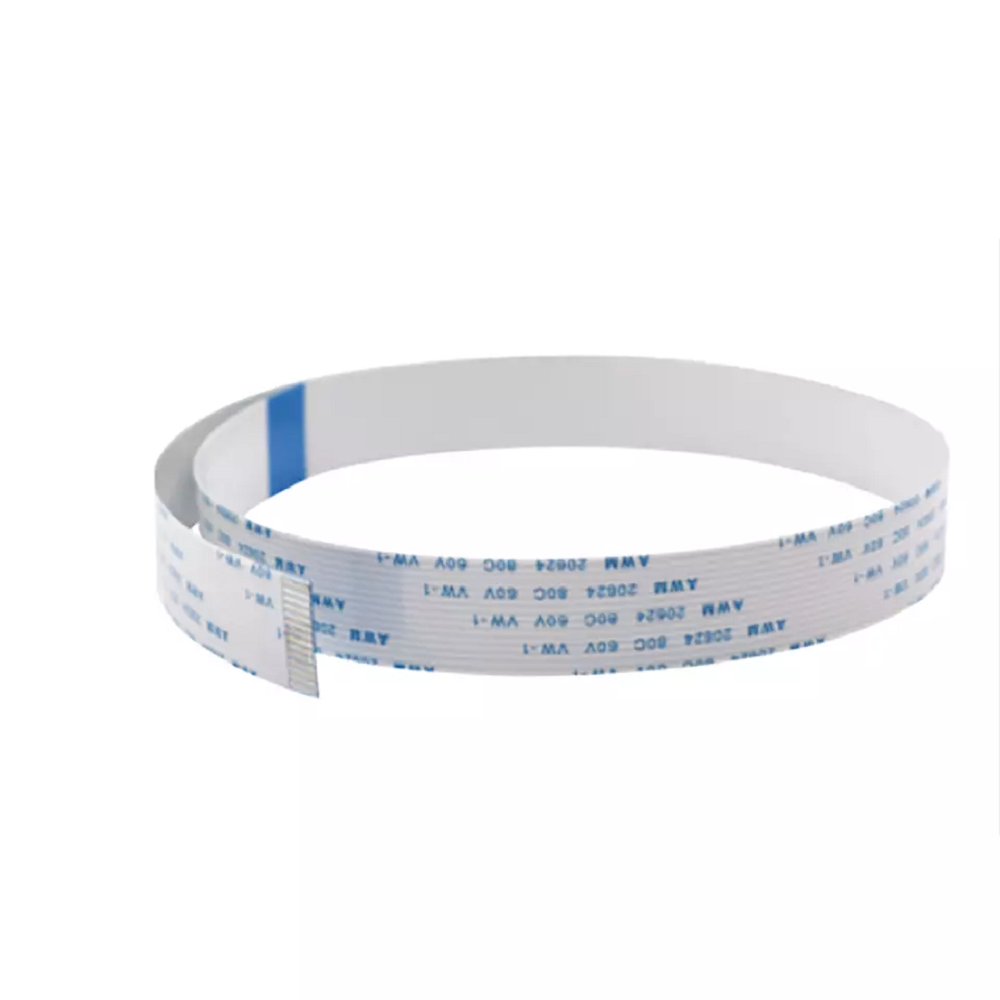
}Epson i1600 Printhead Data Cable 14-Pin FFC
Brand: Epson
Tax excluded. Shipping calculated at checkout
Availability: In stock
%20is%20a%20replacement%20flat%20flexible%20cable%20(FFC)%20for%20specific%20Epson%20i1600-based%20DTF,%20UV,%20and%20eco-solvent%20printers%20that%20use%20the%2016-pin%20cable%20interface.%20This%20...
)
The Epson i1600 Printhead Data Cable (14-pin) is a replacement flat flexible cable (FFC) for specific Epson i1600-based DTF, UV, and eco-solvent printers that use the 16-pin cable interface. This cable connects the i1600 printhead to the printer's carriage control board, transmitting the nozzle firing signals for the i1600's 1,600-nozzle PrecisionCore array. The i1600 platform is used in two cable configurations — 14-pin and 16-pin — depending on the printer model and control board revision. This listing is the 16-pin variant. Verify your printer's cable specification before ordering.
Replace all 4 cables simultaneously at every i1600 printhead installation. The Epson i1600, like the i3200, requires four data cables per printhead. Replacing only some cables leaves residual wear that causes nozzle drop-out indistinguishable from a defective head. Order four cables per head being replaced.
Product Details
| Specification | Detail |
|---|---|
| Cable type | Flat Flexible Cable (FFC) |
| Pin count | 14 pins |
| Pin pitch | 0.5mm |
| Cable width | Verify from stock |
| Compatible printhead | Epson i1600-A1 / i1600-U1 / i1600-E1 (16-pin interface printers) |
| Compatible printer types | DTF, UV DTF, UV, eco-solvent printers using i1600 with 16-pin cable interface |
| Cables required per head | 4 cables per i1600 printhead |
| Replacement interval | Replace all 4 at every printhead installation — do not reuse |
14-Pin vs 16-Pin — i1600 Cable Variants
The Epson i1600 printhead platform is deployed across a range of DTF, UV, and eco-solvent printer brands with different control board designs. Some printer models use the 14-pin cable interface; others use the 164-pin interface. Both carry the same core function — transmitting nozzle firing signals between the printhead and carriage board — but they are physically different and not interchangeable:
| Cable | Pins | Compatible with |
|---|---|---|
| i1600 / i3200 14-pin cable | 14 pins | i1600 and i3200 printers with 14-pin board interface — most common |
To confirm which cable your printer uses: check the existing cable's connector — count the pins or read any markings on the cable itself. Your printer's service manual or the printer manufacturer's support documentation will also specify the correct cable. If in doubt, contact us with your printer model and we will confirm before you order.
About the Epson i1600 Platform
The Epson i1600 is a PrecisionCore MicroTFP printhead with 1,600 nozzles across 4 color channels, delivering 600 dpi high-density resolution from a compact 1.33" (33.8mm) print width. It is available in A1 (DTF/aqueous), U1 (UV), and E1 (eco-solvent) variants, all sharing the same physical form factor. The i1600 is positioned as the cost-effective production alternative to the i3200 (3,200 nozzles) — offering the same PrecisionCore nozzle quality and 4-cable architecture at a lower acquisition cost, making it widely adopted in entry-to-mid production DTF printers and UV flatbed machines.
Why Data Cables Fail
The i1600 data cable flexes with the carriage on every print pass — thousands of cycles per day. Micro-fractures develop in the conductor traces at flex points over time, causing signal loss that manifests as missing nozzle rows, banding, or colour channel drop-out. Problems appearing immediately after a new printhead installation are frequently caused by worn cables, not the new head. Replacing all four cables at every head swap eliminates this variable entirely.
i1600 Installation — Full Consumable Checklist
• Data cables (this listing) — all 4 per head, never reuse
• Dampers — replace all dampers for the head position being swapped
• Capping station — degraded cap causes drying and nozzle loss on new heads
• Ink tubes/lines — flush if machine has been idle for extended periods before connecting new head
Why Buy from Digiprint USA
• Priced for routine replacement — order four per head swap
• In stock in Doral, Miami FL — same day shipping before 2PM EST
• We also stock the 14-pin i1600 cable, i1600-A1 printhead, and associated dampers
• Ideal for Latin American DTF operations and UV print shops using Miami freight forwarders
View our full range of printhead data cables and printer spare parts stocked by Digiprint USA.
Frequently Asked Questions
How do I know if my i1600 printer uses the 14-pin or 16-pin cable?
Count the pins on your existing cable's connector, or check your printer's service documentation. The 14-pin cable is more commonly deployed across the majority of i1600/i3200-based DTF printers. The 16-pin cable is used in specific printer models with a different control board design. If you are unsure, contact us with your specific printer brand and model and we will confirm the correct cable before you order.
How many 16-pin cables does the i1600 require per head?
Four (4) cables per printhead — the same as the 14-pin i1600 and i3200. Replace all four simultaneously at every head installation. For dual-head printers, order eight cables total.
Is the i1600 16-pin cable the same as the i3200 cable?
No. The i3200 uses a 14-pin cable interface. The i1600 16-pin cable is specific to i1600-based printers with the 16-pin board configuration. Do not use i3200 cables in a 16-pin i1600 printer or vice versa.
Do you ship i1600 cables to Latin America?
Yes — same day shipping from our Doral, Miami FL warehouse. Ideal for DTF operations, UV print shops, and eco-solvent production facilities in Latin America using freight forwarders in the Doral area.