
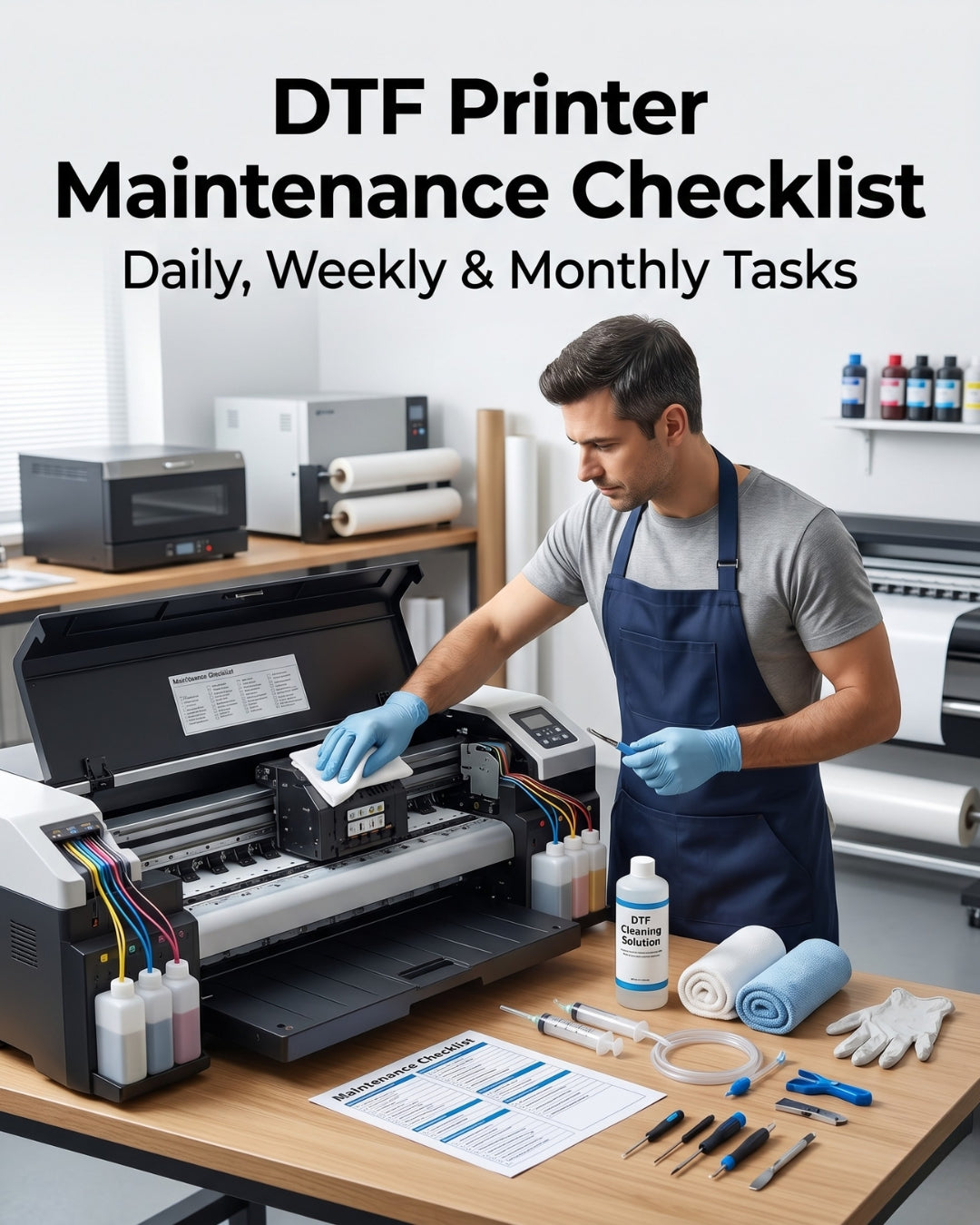
Based on 17 years of supplying printheads and spare parts to DTF shops across the USA and Latin America, the shops that get 12+ months from a printhead share one habit: they follow a consistent maintenance schedule. This checklist covers every task, at the correct frequency, with the reason each one matters.
The core principle behind DTF maintenance
The printhead does not wear out from printing — it wears out from inadequate maintenance. The dampers, wiper blade, and capping station are consumables that degrade on a predictable schedule. When they are not replaced on time, they begin to damage the printhead they were designed to protect. A $15 damper replaced on schedule prevents the $997 printhead replacement.
Daily maintenance — before starting production
Every production day, before loading the first job
Print a nozzle check pattern
Every day, before the first production job. This is the most important daily task — it tells you immediately whether all nozzles are firing. A clean nozzle check takes 30 seconds. Catching a partial clog at this stage costs one cleaning cycle. Missing it costs a ruined production job and potentially a damaged head from firing starved nozzles. Log the result — a record of daily nozzle checks makes it easy to spot gradual degradation before it becomes a failure.
Inspect the print platen for debris
DTF film leaves fragments at the cut edges and around the media guides. Dried ink accumulates on the platen over time. Any debris protruding into the head gap is a head strike waiting to happen. Wipe the platen with a lint-free cloth before every session — 60 seconds that prevents irreversible printhead damage.
Check ink levels on all channels
Running low on any channel during production causes ink starvation — the printhead fires nozzles without adequate ink supply, causing dry firing that permanently damages nozzles. Check levels before starting, not mid-job when it is too late to prevent starvation damage.
Run a cleaning cycle if nozzle check shows missing nozzles
One cleaning cycle, then reprint the nozzle check. If clear — proceed to production. If still showing missing nozzles — run a second cycle and recheck. Maximum 3 cycles per session. If 3 cycles do not clear the pattern, investigate the dampers rather than running more cleaning cycles.
Weekly maintenance — every 5–7 production days
At the end of the last production day of each week
Clean the capping station
DTF ink is thick and pigment-dense. It accumulates in the capping station faster than with standard aqueous inks. A capping station with heavy ink buildup cannot form a proper seal over the nozzle plate during idle — meaning nozzles begin to dry within hours rather than days. Use a lint-free swab and approved cleaning solution. Do not use sharp tools or excessive pressure.
Clean the wiper blade
The wiper blade accumulates ink residue after hundreds of cleaning cycles. A wiper loaded with old dried ink does not clean the nozzle plate — it smears contamination across it. Wipe the blade with a lint-free swab dampened with cleaning solution. If the blade is visibly hardened or deformed, replace it — cleaning a damaged wiper does not restore its function.
Inspect dampers for air bubbles or discoloration
On printers where dampers are visible, check for air bubbles in the damper body or any discoloration suggesting cross-channel contamination. Either condition indicates the damper is failing. Catching this weekly prevents the starvation and missing nozzle symptoms that come from waiting until the damper fails completely.
Inspect ink supply tubes
Check the ink supply tubes for kinks, cracks, or loosening at connection points. A kinked tube causes starvation. A cracked tube introduces air. A loose connection introduces air continuously. Catching these issues weekly prevents the gradual starvation that develops over days from a slowly worsening tube issue.
Monthly maintenance — every 3–4 weeks of production
In high-volume production (full production days)
Replace ink dampers (proactively)
In high-volume DTF production, dampers should be replaced every 3–4 months proactively — before they show visible failure symptoms. Do not wait for starvation, missing nozzles, or color shifting to appear. By the time symptoms emerge, the damper has been degrading for weeks and may already have caused nozzle stress. Replace all dampers as a set. Cost: $5–$15 each. Cost of delaying: the printhead.
Replace wiper blade
Even if the wiper blade looks functional, replace it monthly in high-volume DTF production. The rubber hardens progressively with exposure to ink solvents and cannot clean as effectively even before it shows visible cracks or deformation. Monthly replacement costs a few dollars. A hardened wiper leaving ink residue on the nozzle plate costs exponentially more in cleaning time and potential nozzle damage.
Inspect and clean the encoder strip
The encoder strip accumulates ink mist over months of production. A contaminated encoder strip causes the carriage to misread its position, producing irregular banding that is often misdiagnosed as a nozzle or damper issue. Wipe with a lint-free cloth dampened with IPA (isopropyl alcohol). Power off the printer before touching the encoder strip.
Check ink filter condition
Inline ink filters trap pigment particles and debris. In high-volume DTF production with pigment-dense DTF inks, filters clog faster than in standard aqueous printing. Inspect filter condition monthly and replace if discolored or showing reduced flow. A clogged filter causes starvation across all channels — often misdiagnosed as multiple simultaneous damper failures.
At every printhead replacement — mandatory
Every time a printhead is replaced, regardless of why — whether it is the end of service life, a head strike, or early failure — these items must be replaced at the same time. Installing a new head on worn accessories guarantees the same problems will appear on the new head within days or weeks.
| Item | Why it must be replaced | Link |
|---|---|---|
| All ink dampers | Old dampers cause starvation and air ingestion on the new head from day one | Shop dampers |
| All data cables (×4) | Cables fatigue at the same rate as the head — old cables cause color shifting and signal errors on new heads | Shop cables |
| Capping station / cap top | A degraded cap seal allows overnight drying on the new head within the first week | Shop capping stations |
| Wiper blade | A hardened wiper smears residue across the new nozzle plate, causing premature blockages | Shop wipers |
Quick reference — maintenance schedule at a glance
| Task | Daily | Weekly | Monthly | Every head |
|---|---|---|---|---|
| Nozzle check | ✓ | |||
| Platen debris check | ✓ | |||
| Ink level check | ✓ | |||
| Clean capping station | ✓ | |||
| Clean wiper blade | ✓ | |||
| Inspect dampers | ✓ | |||
| Replace dampers (proactive) | ✓ | ✓ | ||
| Replace wiper blade | ✓ | ✓ | ||
| Clean encoder strip | ✓ | |||
| Check ink filters | ✓ | |||
| Replace capping station + data cables | ✓ |
Frequently asked questions
How often should I run nozzle checks on a DTF printer?
Run a nozzle check every day before beginning production. DTF inks are thick and pigment-dense — nozzles can dry or partially block overnight if the capping station is not sealing perfectly. A daily nozzle check catches this immediately, before it progresses to a production problem or head failure.
How often should I replace dampers on a DTF printer?
In high-volume DTF production running full days, replace dampers every 3–4 months proactively. Do not wait for starvation or missing nozzle symptoms to appear — by that point the damper has been degrading for weeks and may already have caused stress on the printhead nozzles. Replace all dampers as a complete set at every scheduled replacement and at every printhead installation.
What happens if I skip DTF printer maintenance?
Skipped maintenance compounds. A wiper blade not cleaned weekly becomes hardened within a month and starts leaving residue on the nozzle plate. Dampers not replaced on schedule begin to introduce air into the ink lines, causing starvation that the shop initially compensates for with more cleaning cycles — which adds stress to nozzles. The eventual result is printhead failure well before the head's rated service life.
Do I need to replace accessories every time I replace the printhead?
Yes, without exception. All maintenance accessories — dampers, wiper blade, capping station, and data cables — wear at the same rate as the printhead. Installing a new head on old accessories transfers the wear of the old accessories to the new head immediately. The most common cause of a new printhead failing within weeks is installing it on components that should have been replaced at the same time.
Need to stock up on maintenance parts?
Digiprint USA stocks genuine OEM dampers, wipers, capping stations, and data cables for all major DTF printhead models. Ships same day from Doral, FL on orders before 2 PM EST.
info@digiprint-usa.com · +1 (773) 451-5110
Browse Maintenance Kits →


Leave a comment
This site is protected by hCaptcha and the hCaptcha Privacy Policy and Terms of Service apply.