
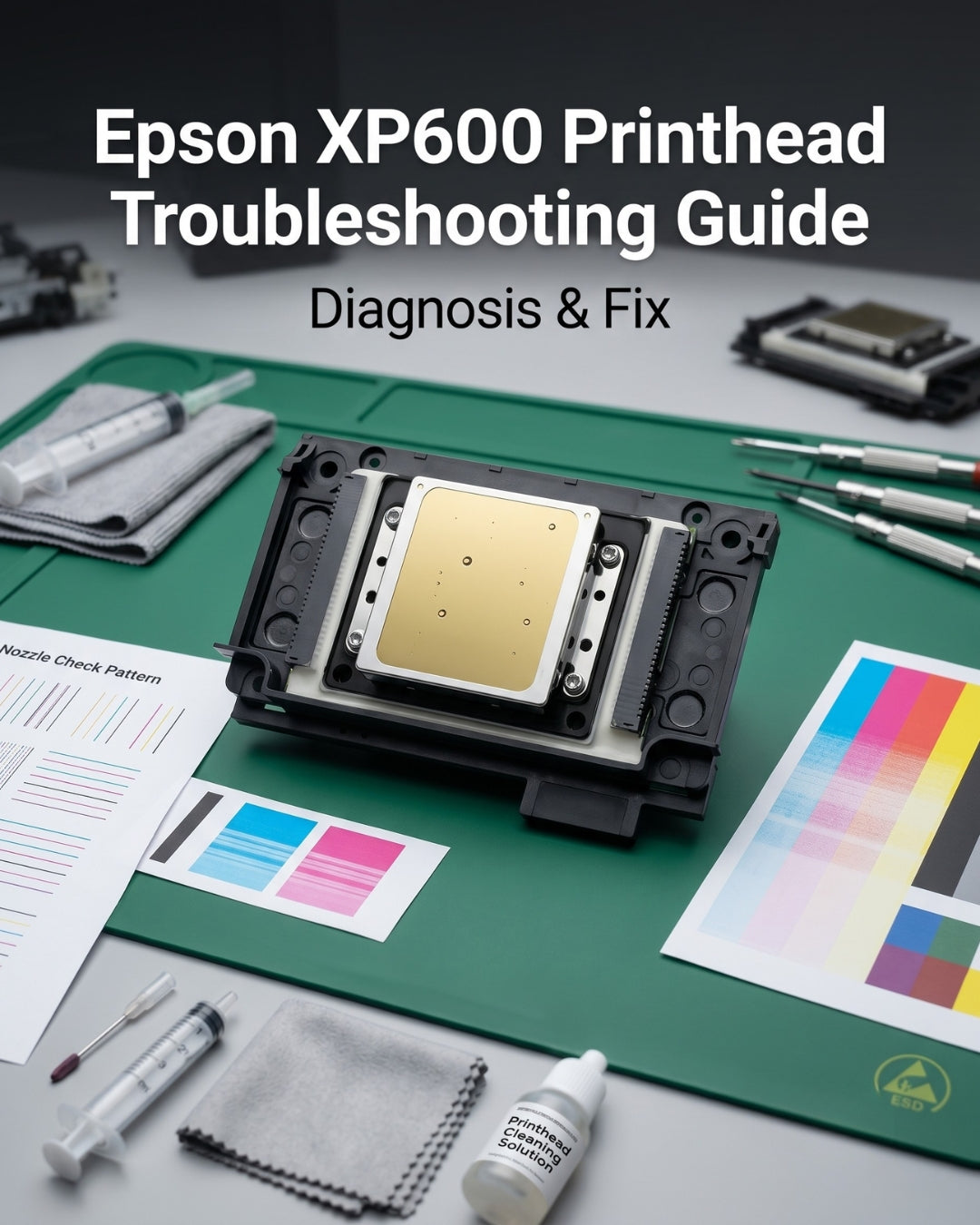
The Epson XP600 (model F1080-A1) is the most widely used entry-level DTF and UV printhead in the world. It is also the most frequently replaced — and in many cases, replaced unnecessarily. The XP600's 3–6 month service life in high-volume DTF production makes shops assume the head has simply failed when quality degrades. In most cases, the problem is in the maintenance accessories, not the head.
This guide covers every failure mode specific to the XP600, why the XP600 has a shorter lifespan than the i3200, and what to diagnose and replace before spending $398 on a new head.
XP600 key specifications — relevant to troubleshooting
In this guide
- Why the XP600 wears faster than the i3200
- Banding on XP600 prints
- Missing nozzles on XP600
- Ink starvation on XP600
- XP600 short lifespan — fixable or end of life?
- XP600 not recognised after installation
- Common XP600 mistakes that shorten head life
- When to upgrade from XP600 to i3200
- What to always replace with the XP600
1. Why the XP600 wears faster than the i3200
Understanding the XP600's architecture explains why it has a shorter service life than the i3200 and why maintenance matters more, not less, for the XP600:
- Fewer nozzles, higher per-nozzle workload. The XP600 has 1,080 nozzles vs 3,200 on the i3200. To achieve similar output widths, each XP600 nozzle fires more frequently, placing greater wear on individual nozzle membranes.
- Consumer-grade construction in an industrial application. The XP600 was originally designed for the consumer printer market, not for industrial DTF production cycles. Its nozzle plate and internal seals are not rated for the sustained firing cycles of a full-day production DTF printer.
- Higher sensitivity to ink quality. The XP600's tighter nozzle geometry is more sensitive to ink viscosity variation and pigment particle size. Low-quality or incompatible DTF inks clog XP600 nozzles faster than they affect the i3200.
- Smaller damper capacity. The dampers used with the XP600 have lower ink holding capacity than i3200 dampers. This means they show signs of degradation sooner under high firing rates.
None of these factors mean the XP600 is a bad head — it is an excellent head for the price point and volume tier. They mean the XP600 requires more attentive maintenance than the i3200 to achieve its rated service life.
2. Banding on XP600 prints
Banding is the most commonly reported XP600 symptom and is misdiagnosed as head failure in the majority of cases.
XP600-specific banding causes in order of likelihood:
- Partially clogged nozzles — the XP600's tighter nozzle geometry clogs faster than the i3200, especially with thicker DTF inks. Run 1–3 cleaning cycles and recheck. If cleaning provides temporary relief but banding returns within hours, move to Step 2.
- Failing damper — the XP600's smaller damper capacity means starvation symptoms appear sooner. Replace all dampers when cleaning cycles provide only temporary relief.
- Degraded capping station — the XP600 is particularly vulnerable to overnight drying because its nozzle plate is smaller and more exposed. A capping station that is not sealing correctly will produce banding every morning that improves after a warm-up cycle.
- Worn wiper blade — inspect and replace if the blade shows hardening or deformation.
→ Full diagnosis: Banding & Horizontal Lines — Complete Guide
3. Missing nozzles on XP600
Apply the same three-check diagnostic used for all wide-format heads:
- Print 3 nozzle checks without cleaning between them
- Missing nozzles in different positions each time → air in ink lines → replace dampers
- Missing nozzles in same positions → dried ink blockage → run 1–3 cleaning cycles
- Entire rows missing, no response to cleaning and new dampers → permanent damage → replacement needed
XP600-specific note: The XP600 is more sensitive to overnight drying than the i3200. Missing nozzles that are consistently worse in the morning and clear after warming up almost always indicate a capping station that is not sealing properly — not a failing head. Replace the capping station before replacing the head.
→ Full diagnosis: Missing Nozzles — How to Diagnose and Fix
4. Ink starvation on XP600
The XP600's smaller damper capacity makes it more prone to starvation symptoms at production speeds than the i3200. Output that fades progressively across the swath — especially in high-speed or multi-pass production — is almost always damper failure, not a head issue.
XP600 starvation pattern:
- Fading is visible on full-width prints but the nozzle check looks clean — the check fires at low demand and does not replicate production load
- Starvation worsens as production volume increases within a single session
- One or two channels affected more than others — damper on those channels is failing
XP600-specific maintenance schedule: Replace XP600 dampers every 2–3 months in high-volume DTF production — more frequently than the 3–4 month cycle recommended for the i3200, because of the XP600's smaller damper capacity and higher per-nozzle firing rate.
→ Full diagnosis: Ink Starvation — Causes and Fix
5. XP600 short lifespan — fixable or end of life?
The most common XP600 complaint we hear from shops is that the head "only lasted 2–3 months." In the majority of these cases, the short lifespan is caused by maintenance failures — not a defective head:
| Short lifespan cause | Fix for next head |
|---|---|
| Dampers not replaced at installation | Replace all dampers at every head installation |
| No daily nozzle checks — clogs went undetected | Run nozzle check every morning before production |
| Incompatible or low-quality DTF ink | Use ink approved or tested for the XP600 viscosity range |
| Running printer after ink ran low (dry firing) | Check ink levels daily — never run channels to empty |
| Capping station not sealing — overnight drying | Clean capping station weekly, replace if degraded |
| Head strike from media handling | Check head height when changing media, inspect platen daily |
If a shop addresses all of the above on the next head installation, a 3-month XP600 typically extends to 6–8 months in the same production environment.
6. XP600 not recognised after installation
If the printer shows a head error or does not recognise the XP600 after installation:
- Confirm the head is fully seated in the carriage — XP600 heads sometimes require firm pressure to fully engage the carriage connector
- Check the flex cable connection — the XP600 uses a different cable format than the i3200; ensure the correct cable is installed and fully seated
- Confirm the head is unlocked — all XP600 heads at Digiprint USA are sold unlocked for use in generic DTF machines, but confirm this if you sourced from another supplier
- Check the Epson seal — a head without the intact Epson holographic seal on the packaging may not have the correct chip configuration for your machine
Contact us if the head is still not recognised after confirming all of the above.
7. Common XP600 mistakes that shorten head life
- Running more than 3 consecutive cleaning cycles — additional cycles add stress to XP600 nozzles without clearing deep blockages. If 3 cycles don't work, the issue is in the dampers, not the nozzles.
- Using third-party or low-quality DTF ink — the XP600's tighter nozzle geometry has a narrower ink viscosity tolerance than the i3200. Budget inks with inconsistent viscosity clog XP600 nozzles significantly faster.
- Not replacing dampers at head installation — the single most common cause of a new XP600 failing within weeks.
- Leaving the printer idle for 3+ days without a cleaning cycle — the XP600's nozzle plate dries faster than the i3200 during extended idle. If the printer will be idle for more than 72 hours, run a cleaning cycle before shutting down.
- Switching ink brands without flushing the system — incompatible ink residue mixed with new ink causes rapid clogging on the XP600.
8. When to upgrade from XP600 to i3200
The XP600 and i3200 fit different printers and are not interchangeable — the upgrade decision applies when choosing between DTF printer models, not when replacing a head in an existing machine. Consider the i3200 if:
- You are running full production days and replacing XP600 heads every 3–4 months despite good maintenance — the i3200's longer rated lifespan changes the economics at higher volumes
- Your production volume has outgrown the XP600's throughput — the i3200 produces higher output at equivalent quality
- Your print quality requirements demand higher resolution and more consistent output across the full swath width
→ Read our full XP600 vs i3200 comparison
What to always replace with the XP600
Frequently asked questions
How long does an Epson XP600 printhead last in DTF production?
The XP600 typically lasts 3–6 months in high-volume DTF production. Shops with consistent maintenance practices — daily nozzle checks, damper replacement every 2–3 months, accessories replaced at every head installation — regularly achieve 5–6 months. Shops with poor maintenance habits see 2–3 months.
Why does my XP600 keep clogging?
Recurring XP600 clogs are almost always caused by one or more of: incompatible or low-quality DTF ink, a degraded capping station that lets nozzles dry overnight, a worn wiper blade that smears residue across the nozzle plate, or running more than 3 consecutive cleaning cycles. Address the root cause before replacing the head — the same clogs will appear on the new head within weeks if the cause is not fixed.
Is the XP600 the same as the DX11 or F1080-A1?
Yes — the Epson XP600 printhead is the same component sold under multiple names: F1080-A1 (Epson's official part designation), DX11 (the generation name used in some documentation and aftermarket listings), and XP600 (the consumer printer model it was originally designed for). All three names refer to the same printhead.
Should I upgrade from XP600 to i3200?
The XP600 and i3200 are not interchangeable — they fit different printers. If you are running full production days and replacing XP600 heads every 3–4 months despite good maintenance, the economics may favour an i3200-based printer when you next replace your machine. For current XP600 machine owners, good maintenance is the correct answer — not a head swap.
How do I know if my XP600 is genuinely failed vs just needs maintenance?
Email us a photo of your nozzle check and describe what maintenance you have already performed. We diagnose XP600 failures remotely before shops order a replacement. If the head is genuinely failed, we confirm the correct replacement. If it is still fixable, we identify the correct parts to order instead.
Need a replacement XP600? Genuine OEM — ships same day.
Every XP600 (F1080-A1) at Digiprint USA is 100% genuine OEM — intact Epson seal, original packaging, unlocked. Email us a nozzle check photo first — we confirm the head needs replacement before you order. Ships same day from Doral, FL before 2 PM EST.
info@digiprint-usa.com · +1 (773) 451-5110
Buy Epson XP600 — In Stock →


Leave a comment
This site is protected by hCaptcha and the hCaptcha Privacy Policy and Terms of Service apply.