
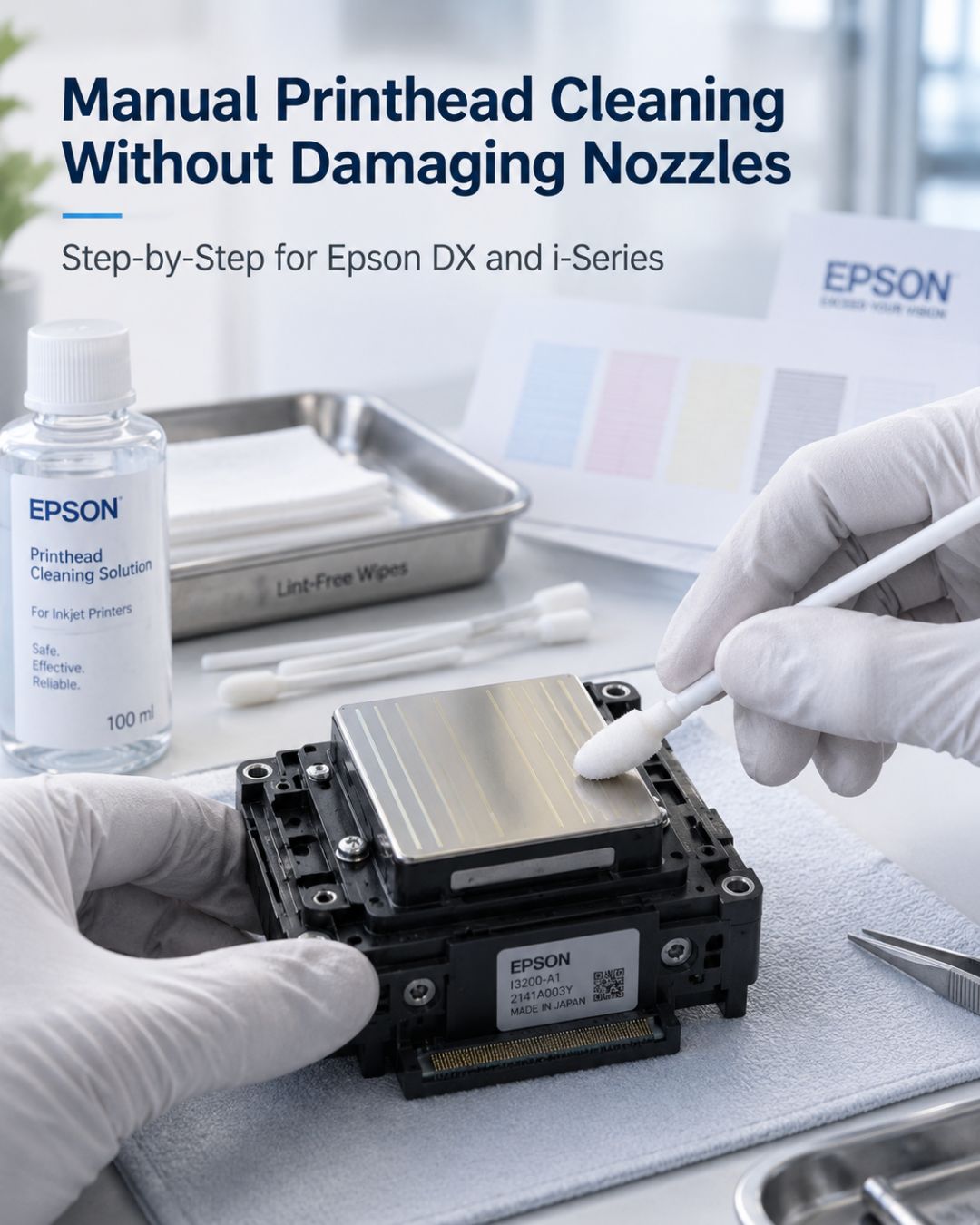
When the printer's own cleaning cycles stop clearing a nozzle pattern, the next step is manual cleaning. Done right, it recovers most fresh clogs. Done wrong — alcohol, a hard syringe push, a paper towel across the plate — it finishes the head off. This is the method we recommend for Epson piezo heads; it applies to the DX4, DX5, DX7 and the i3200, XP600 and i1600 families. If you have a specific i3200 problem, the i3200 cleaning guide is more detailed.
What you need
- A cleaning solution matched to your ink family. For DTF and aqueous heads, DTF head cleaning solution. For eco-solvent heads, the solvent-compatible flush your ink maker specifies. Never isopropyl alcohol, never distilled water on a solvent head, never Windex.
- A 10–20 ml syringe with the correct fitting or a short length of silicone tube that fits the head's ink inlet.
- Lint-free wipes (not paper towels).
- A shallow dish and a clean, level surface.
- Nitrile gloves — skin oil on the nozzle plate causes deflection.
Step 1: confirm it's a clog
Print a nozzle check. Gaps that shift between cleaning cycles are clogs. A fixed block that never changes is electrical, and no amount of cleaning will help — see reading a nozzle check pattern. Don't remove the head for a problem cleaning can't fix.
Step 2: soften from the outside first
With the head still in the carriage, place a lint-free wipe soaked in cleaning solution on the capping station and park the head on it. Leave it 2–4 hours (overnight for stubborn clogs). Run a cleaning cycle. For many clogs this is enough, and it carries almost zero risk.
Step 3: flush through the inlet — gently
If the pattern improved but isn't clear, remove the head (printer off at the switch, cable disconnected, dampers off). Attach the syringe to the affected channel's inlet. Push cleaning solution through with the lightest pressure that produces a steady stream out of the nozzle plate — think "slow drip becoming a thin stream," not a jet. If solution won't pass with gentle pressure, stop, let the channel soak with solution in it for 30 minutes, and try again. Forcing it tears the internal filter and can lift the nozzle plate.
Step 4: soak the plate
Rest the head nozzle-plate-down in a shallow dish with just enough solution to touch the plate — 2–3 mm. Do not submerge the head or let solution reach the electrical contacts. Leave 4–12 hours. Then repeat the gentle flush. Two soak-and-flush cycles is the practical limit; if the channel still won't pass solution, the clog is cured pigment or dried white and the head is unlikely to recover. That's the point where recovery vs. replacement becomes the decision.
Step 5: reinstall correctly
New dampers, a new data cable, cable orientation matched to the old one, printer off at the switch. Fill with ink, run two or three cleaning cycles, then a nozzle check. Expect one or two nozzles to need a further cycle as air clears.
The three things that kill heads during cleaning
- Wiping the plate with pressure or with paper. Only blot with a solution-soaked lint-free wipe, plate down, no rubbing.
- Pressure through the inlet. A hard syringe push is the number-one cause of a head that goes from "one channel weak" to "all channels dead."
- Wrong chemistry. Alcohol dries and cracks seals; water in a solvent head precipitates pigment. Use the matched solution.
Frequently asked questions
Can I clean a printhead with isopropyl alcohol?
No. Alcohol dries internal seals and can strip the nozzle-plate coating, and on solvent heads it precipitates pigment inside the channels. Use a cleaning solution matched to the ink family the head runs.
How much pressure should I use when flushing a printhead with a syringe?
The lightest pressure that produces a thin, steady stream from the nozzle plate. If solution won't pass with gentle pressure, soak the channel for 30 minutes and try again. Forcing it tears the internal filter and can lift the nozzle plate.
How long should I soak a clogged printhead?
Start with 2–4 hours on a solution-soaked wipe in the capping station. If the head is removed, soak nozzle-plate-down in 2–3 mm of solution for 4–12 hours, keeping solution away from the electrical contacts. Two soak-and-flush cycles is the practical limit.
What's the safest way to wipe a printhead nozzle plate?
Blot only, never rub. Rest the plate on a lint-free wipe soaked in cleaning solution and let capillary action do the work. Paper towels and dry wipes scratch the plate coating and cause permanent drop deflection.
Related reading
- Why your wide-format printer keeps clogging
- Dried printhead after storage: recovery steps
- DTF printhead maintenance schedule
Shop: Cleaning Solution · Dampers · Cables


Leave a comment
This site is protected by hCaptcha and the hCaptcha Privacy Policy and Terms of Service apply.